AppRequests is an independent mobile app comparison platform. We may earn a commission when you click through.
JpgHD vs Pixelup: Which Photo Restorer Wins?
JpgHD restores scratches and colour on Android, while Pixelup brings 4.3 stars and 4,200 ratings to iPhone users.
Quick Picks
Best overall: jpgHD: AI Photo Restore for Android users who want restoration, colourisation and upscaling in one place.
Best-rated iPhone pick: RetroFix, with 4.7 stars from 636 ratings.
Best-known enhancer: Remini, which says it has processed more than 100 million photos.
You are choosing between restoration specialists and broader AI enhancers. The difference matters: one app may repair scratches and faded colour, while another mainly sharpens faces and blurry images. The community requested these apps because they promise quick fixes, but the platform split and monetisation details deserve more scrutiny than the glossy before-and-after claims.
Restoration First: Android Picks With More Than Sharpening
Scratch removal, faded portraits and black-and-white colourisation are the real test here. A sharper image is not automatically a restored image. These Android apps describe broader repair tools, so they deserve the first comparison.
AI Photo Restore
jpgHD has the broadest restoration brief in this comparison: it targets scratches and damage, colourises black-and-white photos, reduces noise and enlarges images. That makes it more useful than a basic unblur tool for scanned family albums. The listing does not show a price, subscription terms or rating, so the feature list is stronger than the buying information. Android users restoring mixed batches of portraits, landscapes and artwork should start here, but they should check the in-app payment screen before processing a large archive.

Renew
Renew takes a simpler one-tap route than jpgHD, positioning itself around old, faded and damaged pictures rather than a long list of editing controls. That is useful for someone who wants a quick family-photo repair without learning a complicated workflow. The trade-off is less detail in the available listing: no rating, price or platform terms are shown. Compared with jpgHD, Renew sounds easier to operate but gives you less evidence about output quality and less transparency before payment.

Restoria
Restoria adds animation to the usual repair, enhancement, scratch removal and colourisation tools. That makes it the most playful Android pick here, especially for turning a still family portrait into a short moving memory. I would not choose it first for archival restoration: animation is an extra layer, not proof of better repair. Compared with Renew's one-tap focus, Restoria offers more creative output but also a greater risk of paying for effects you never planned to use.

Relumi
Relumi covers the same practical ground as jpgHD—damaged prints, faded snapshots, blurry faces, colourisation and upscaling—but its description also claims millions of processed photos and a natural finish. Those claims come from the app listing, not independent testing, so treat them as marketing rather than a quality guarantee. Still, the wider use case is convincing. Relumi is the Android app I would compare directly with jpgHD when the archive includes wedding photos, early digital images and badly faded prints.

AI Photo Restore
This app is less focused than the four restoration tools above. Alongside enhancement, repair and upscaling, it adds background music and turns photos into memory videos. That could suit a family slideshow, but it is unnecessary if the goal is a clean restored scan. The listing provides no price, rating or terms, which makes the extra media features harder to assess. Pick it only when the final result needs music and motion, not just a better photograph.

Android has the deeper feature spread, but the listings are thin on ratings and payment details. That is the surprising gap: the apps describe scratches, colour and AI restoration in detail, yet give little help with deciding what the free download actually includes. For a transparent starting point, jpgHD has the clearest feature-to-purpose match; Relumi is the closest alternative for broader photo types.
iPhone Picks: Ratings Matter More Than Feature Lists
Apple's listings provide clearer public signals for several apps. Pixelup has 4.3 stars from 4,200 ratings, while RetroFix has 4.7 from 636. Those numbers do not settle image quality, but they are more useful than unsupported claims about advanced AI.
RetroFix
RetroFix has the strongest visible rating in the supplied data: 4.7 stars from 636 ratings. Its title and subtitle stay tightly focused on old-photo restoration and black-and-white colour repair, which is exactly what most people need from this category. The smaller review count means the score is less established than Pixelup's 4,200 ratings, but the focus is cleaner. iPhone and iPad users restoring monochrome family photos should try RetroFix before paying for a broader enhancer.

Pixelup - AI Photo Enhancer
Pixelup has the strongest volume signal among the iPhone options, with 4.3 stars from 4,200 ratings. It promises unblurring, retouching, clarity improvements and fixes, so it reaches beyond old prints into ordinary blurry images. The compromise is platform access: the listing says it is for iPhone and includes in-app purchases, with no price shown in the supplied data. Choose Pixelup over RetroFix when review volume and general enhancement matter more than a narrowly restoration-focused tool.

Restore Old Photos
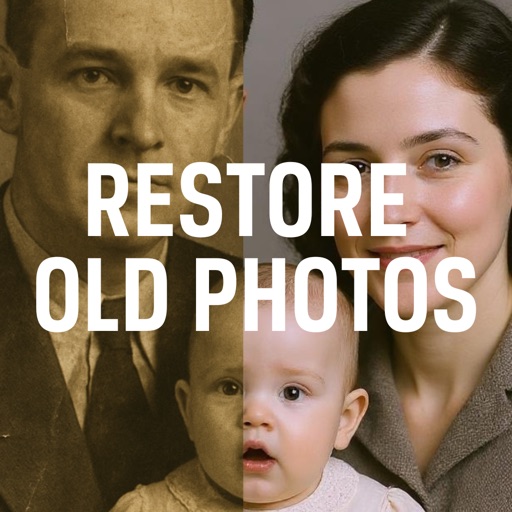
Restore Old Photos: AI has a spotless 5.0 rating, but it comes from just one rating. That is not enough evidence to beat RetroFix's 4.7 from 636 or Pixelup's 4.3 from 4,200. The app is iPhone-only, free to download and includes in-app purchases, while its pitch is deliberately simple: easy photo restoration. New users can test it with low expectations, but the tiny sample makes the rating a curiosity rather than a buying reason.
Old Photo Repair
Old Photo Repair - Restore AI keeps the promise narrow: repair and colourise old photos. That focus is appealing, but the supplied listing shows no rating, price or detailed feature breakdown, and it is designed for iPad rather than presented as a universal iPhone tool. Compared with RetroFix, it offers less public evidence; compared with Pixelup, it offers fewer stated enhancement functions. Use it only if iPad compatibility and a stripped-back restoration brief matter more than proven demand.

RetroFix
RetroFix earns the final comparison because its 4.7-star score is the clearest quality signal among the focused iPhone restoration apps. It does not claim the broadest toolkit, and 636 ratings are fewer than Pixelup's 4,200, but the app stays close to the job: restoring old images and adding colour to monochrome photos. For a single treasured album, that focus matters more than extra animation or music features.
The Verdict
Android users should start with jpgHD. Its listing covers the most relevant restoration tasks—scratches, faded photos, colourisation, noise reduction and upscaling—without drifting into unrelated video effects. Relumi is the runner-up for larger mixed archives, while Renew makes more sense for someone who wants a one-tap workflow.
iPhone users should try RetroFix first. Its 4.7-star rating from 636 ratings beats Pixelup's 4.3 from 4,200, and its stated focus is closer to genuine old-photo repair. Pixelup wins when you need a broader enhancer for blurry modern images and want the reassurance of a much larger rating sample.
The community request was for photo restoration, not subscription surprises. Every app here is listed as free to download where that information is available, but Pixelup, RetroFix and the newer iPhone tools include in-app purchases. Check the payment screen before exporting a full album. The app-store listings for Pixelup, RetroFix and jpgHD are the right places to verify current availability and purchase terms.
Final call: pick jpgHD for Android restoration depth, RetroFix for iPhone family albums, and Pixelup for high-volume general enhancement. Those are the apps most likely to earn a place beyond a single experiment.