AppRequests is an independent mobile app comparison platform. We may earn a commission when you click through.
Gaming Companion Apps: Free, Crowded, and Uneven
Of 61 gaming companion apps, 59 are free and Android has 39 listings, but the category averages only 3.19 stars.
59 of 61 gaming companion apps are free, but free does not automatically mean good. The category averages just 3.19 stars, which makes quality—not price—the real filter. Android has the larger catalogue with 39 listings versus 22 on iOS, yet the available data does not show that either platform rates higher.
There is another limitation readers should know before comparing the numbers: the listings provide no paid-app prices, no complete in-app-purchase breakdown, and no platform-level average ratings. So the data can answer how crowded and accessible this category is, but not whether paid apps rate higher or what a typical paid app costs. The honest answer to both questions is: not enough evidence in this dataset.
Top App Developers
iOS vs Android
The price story: free dominates, but check the fine print
Looking at the breakdown above, 59 apps—96.7% of the catalogue—are listed as free, while only two are paid. That makes this one of the easiest categories to sample without spending money. It also makes monetization the detail to inspect first: a listing marked free can still include ads or in-app purchases.
The clearest example is 1 Block Launcher Squares, listed as “Free · In-App Purchases.” That is not the same as an entirely free app. By contrast, the dataset does not identify which of the other 58 free listings have ads, subscriptions, or paid upgrades, so claiming that they are all free of charges would be misleading.
For shoppers, the practical move is simple: treat “free” as an installation price, not a promise of a free experience. Check the store page before committing time, especially for booster tools and reward apps that may build their model around upgrades or sponsored activity.
Game Codes
Rhub focuses on daily game codes, verified reward lists, and step-by-step guides, so it gives players a direct utility rather than promising to alter performance. The listing does not disclose a price, ads, subscriptions, or in-app purchases, so its free status cannot be treated as confirmed. Best for players who want current rewards in one place and are tired of searching social platforms for working codes.

Easy Gift
Easy Gift takes a different route: users accumulate Gold or Chips through activities before claiming game codes, e-PINs, vouchers, or other rewards. That makes the app less immediate than Rhub, since access depends on earning enough in-app currency first. Best for patient players who will complete daily activities and want rewards rather than guides, but the listing does not state the time required or disclose a typical redemption value.

Block Launcher Squares
1 Block Launcher Squares is the only featured listing here with an explicit “Free · In-App Purchases” label, which makes its monetization more transparent than apps that simply say free. Its category is Strategy, so it is less of a utility companion than Rhub or Easy Gift. Best for players who want a casual strategy title alongside their companion tools and are comfortable checking what the paid extras unlock.

That cluster shows why the 96.7% free figure needs context. The category is cheap to enter, but the useful comparison is what each app asks you to do after installation: read guides, complete reward activities, or tolerate optional purchases.
Android has the numbers; iOS has a tighter shortlist
Android accounts for 39 of 61 listings, or 63.9%. iOS has 22, or 36.1%. Android therefore gives you more apps to browse, but the dataset does not provide enough platform-specific ratings to declare a winner. More listings mean more choice—not necessarily better options.
The split also reflects different companion-app jobs. Android’s listings include several performance and network tools, while the iOS examples lean toward guides and device-readiness utilities. That is a useful starting point, but readers should judge each app by its stated function rather than assume one operating system has the stronger catalogue.
NetFocus Game Booster
NetFocus is more technical than the reward and guide apps above. It lets Android users choose one focus game, whitelist background apps, and start a local session using Android VpnService to reduce background clutter. That permission model deserves attention: the listing explains the VPN-based operation, but it does not promise a measured ping reduction. Best for Android players who want tighter control over background activity and understand that organization is not the same as guaranteed network improvement.

LagoFast Game Booster
LagoFast makes the boldest performance claim in the group, advertising up to 80% less lag and access to more than 3,000 servers across 80 countries. Those are claims from the app description, not independent test results, so they should not be read as a guaranteed outcome on every connection. Best for Android players dealing with regional routing or ping spikes who are willing to test performance rather than trust the headline alone.

Lower Lag Game Booster
GearUP is the only featured app here with a visible store rating: 4.1 from 14 ratings. That is encouraging, but the sample is too small to compare confidently with the category average of 3.19. It is listed as free with in-app purchases, so the upfront cost is low while the full experience may not be. Best for iOS players testing a lower-lag tool who want at least some user-rating evidence before installing.

The performance cluster is where the category becomes harder to judge. Booster apps use ambitious language, but the supplied listings do not include controlled latency tests, battery data, or independent verification. Start with the app that exposes its permissions and pricing clearly, then measure whether your own connection improves.
Tools that solve a different problem
Not every gaming companion needs to lower ping. Some help you decide what your device can run or customize the look of a game. Those apps are easier to evaluate because their promised tasks are more concrete.
GFX Tool
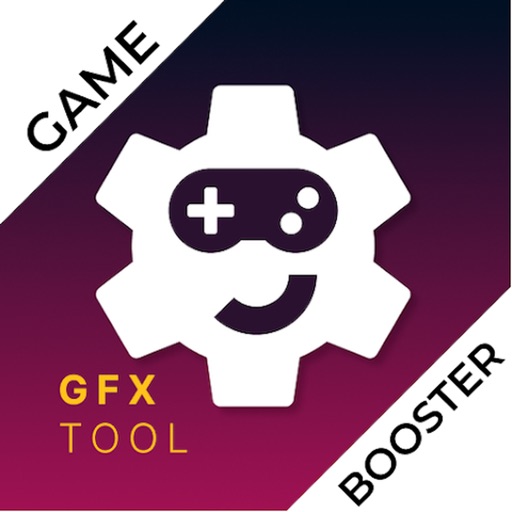
GFX Tool - Game Booster lets users choose resolution, FPS, graphics quality, style, and shadows, then save those settings as a preset. The important limitation is stated plainly: it shows values to enter in the game’s own settings and does not modify the game directly. Best for players who want repeatable graphics presets without expecting the app to bypass game restrictions or magically add performance.
GFX Tool
GFX Tool for Games takes a diagnostic approach: it lists game requirements, compares them with phone specifications, tracks games, tests internet speed, and supports an iOS Siri shortcut. The listing also shows a 5/5 rating, but no review count is supplied, so that score carries less weight than GearUP’s 4.1 from 14 ratings. Best for iOS users who want to check compatibility before downloading a demanding game.

These tools reveal the category’s useful split: companion apps either help you find rewards, manage performance, or prepare your device. Pick by the problem you actually have. Installing three booster apps will not necessarily produce a faster connection, and a skin editor will not fix frame-rate drops.
What the numbers mean for your next download
The catalogue is broad but not deeply validated. 96.7% of listings are free, Android supplies 63.9% of the options, and the category average is only 3.19 stars. The data does not prove paid apps rate higher, does not reveal a typical paid-app price, and does not establish that Android or iOS has better-rated choices.
- Want codes and guides? Start with Rhub, whose stated purpose is direct and easy to understand.
- Need Android background control? NetFocus explains its VpnService approach, but you should review the permission implications.
- Want iOS compatibility checks? GFX Tool for Games lists device comparisons and internet testing.
- Considering a booster? Treat claims such as “up to 80% less lag” as claims to test, not guaranteed results.
- Watching costs? Check for in-app purchases even when the store label says free.
The community request list has produced plenty of accessible apps, but the average rating says curation matters. Start with one tool that matches your problem, inspect permissions and monetization, then keep it only if it improves your actual play session.
Gaming tools are not the only apps where a wrong download can cost time and data. For a different kind of recovery utility, see Photo Recovery Apps for Accidental Deletions—a useful comparison if accidental deletion is the problem you need to solve next.